Timing Data in PVRTuneComplete
PVRTuneComplete can capture and display several extra events occurring on the GPU.
Data Master (DM) cycles active
PVRTuneComplete adds a horizontal black bar over tasks, near the bottom. This indicates the range of time that the DM was actively processing the task, outside of the firmware overhead.
Firmware Tasks
To allow for better parallelisation between CPU and graphics core, PowerVR hardware runs firmware on chip. Events occurring on the graphics core generate interrupts. The firmware allows these interrupts to be handled on the core without having to communicate with, and therefore wait for, the CPU. When firmware timing data is available, it appears as an additional timeline.
Tile Accelerator out-of-memory period
When working with PVRTuneComplete, there may be vertical black bars being displayed among the data, similar to those shown below:
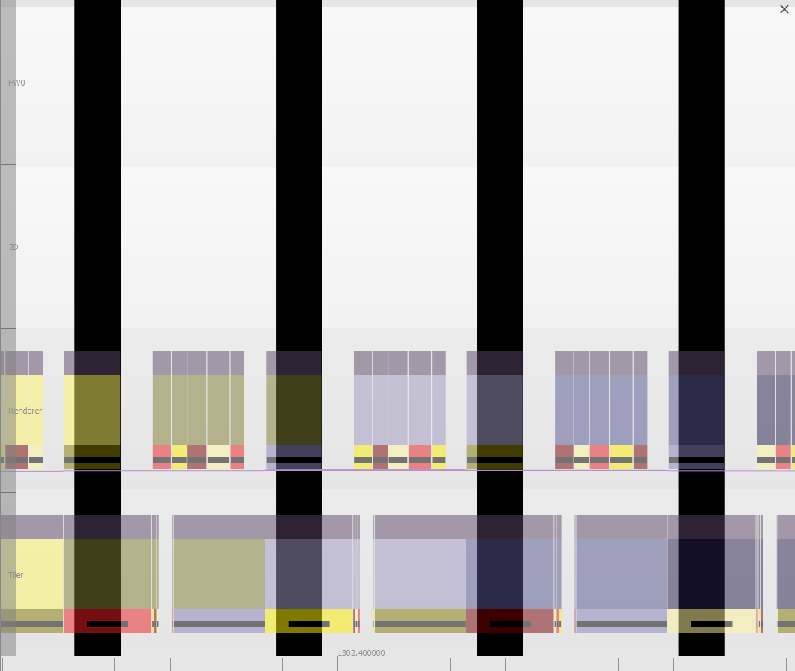
These are an indicator that the Tile Accelerator (TA) has run out of parameter buffer memory. Rather than triggering a 3D Smart Parameter Management (SPM) task to free up memory, the TA has instead stopped working until the already-running 3D task completes, which then frees up the memory. This is why the black bars end when the running 3D tasks end. The per-task grey bar over the relevant TA task will also be much narrower than the overall task duration.
If there is no 3D task running during the black region, the problem was solved instead by the driver allocating more memory.
Hardware reset period
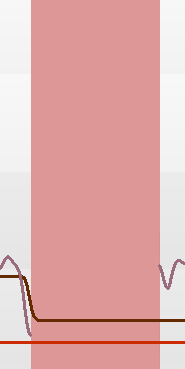
Hardware reset periods occur when the hardware locks up and stops responding, possibly due to firmware or driver error.
A hardware reset can be identified as a vertical pink block, as shown: